

This guide applies to most Leather & Dirt vehicle-specific dash mounts that install on the removable center speaker cover or trim panel. Our dash mounts are designed to mount to the removable speaker cover, so you do not need to drill into the dashboard itself.
Before you start
Please read through the full guide before installation.
Typical install time: About 20 minutes
Difficulty: Easy / 3 out of 10
Modification required: Drilling the removable speaker cover only
What you’ll need
- Leather & Dirt dash mount
- Included mounting hardware
- Drill
- Properly sized drill bit
- Marker or pencil
- Trim removal tool, optional
- Wrench or socket for tightening the nuts
Installation steps
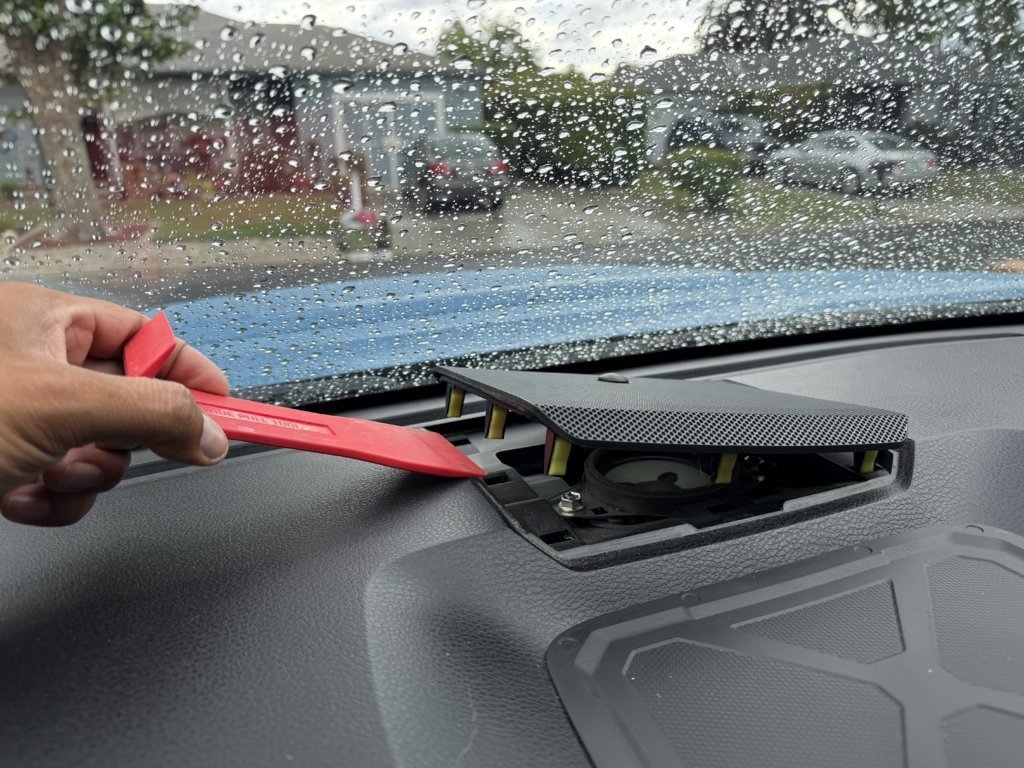
Step 1: Remove the speaker cover
Gently remove the speaker cover from your dashboard. If your vehicle has a light sensor connected to the speaker cover, carefully disconnect it before fully removing the cover.
Step 2: Drill the mounting holes
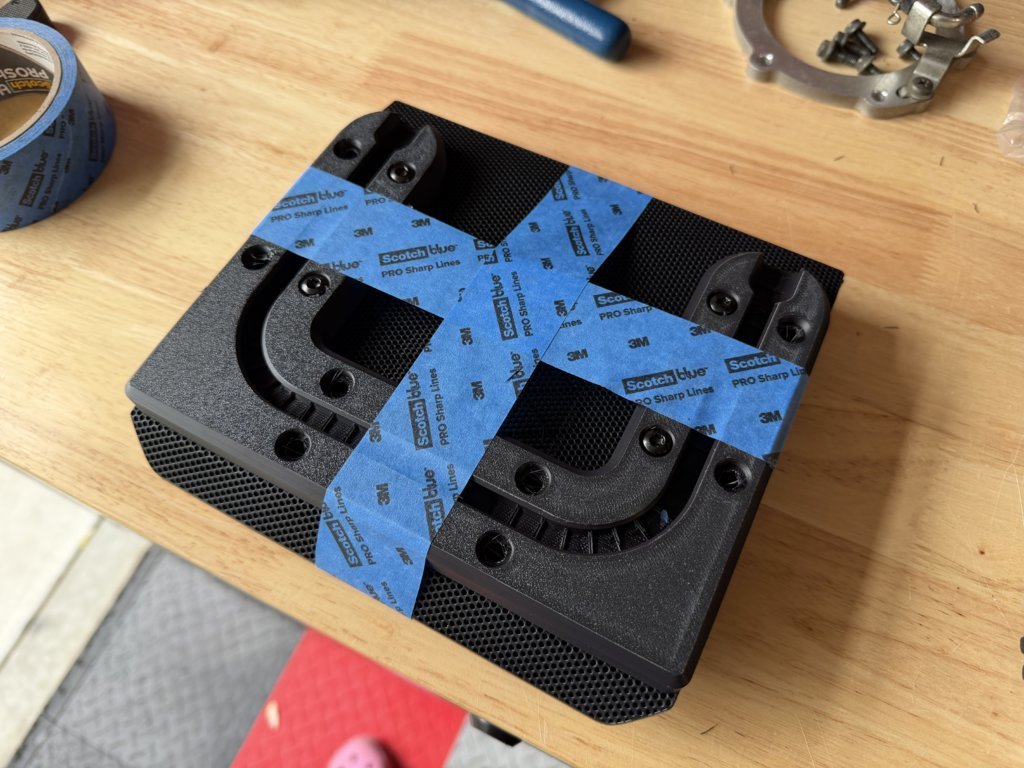
Place the dash mount on the speaker cover and align it in the desired position. Use the holes in the dash mount as a guide to mark the drilling locations. Drill holes into the speaker cover at the marked locations. Do not drill into the dashboard itself.
Step 3: Attach the dash mount
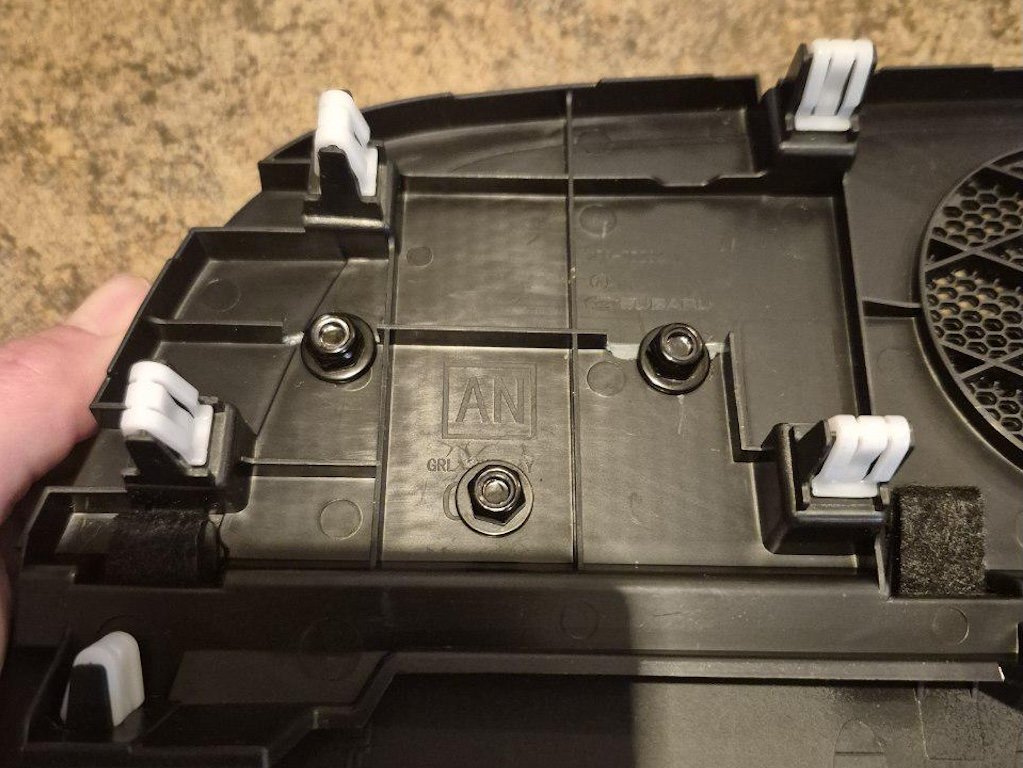
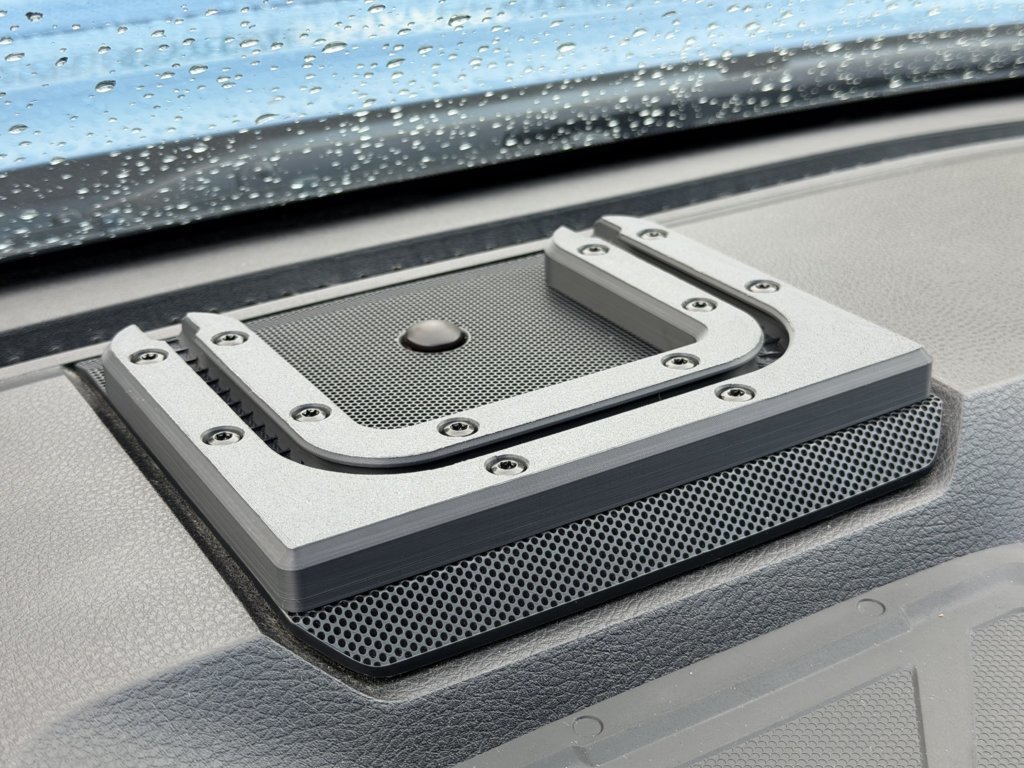
Secure the dash mount to the speaker cover using the included hardware.
Please note: the included lock nuts have nylon inserts, so you may feel strong resistance while tightening them. This is normal.
Step 4: Check the hardware
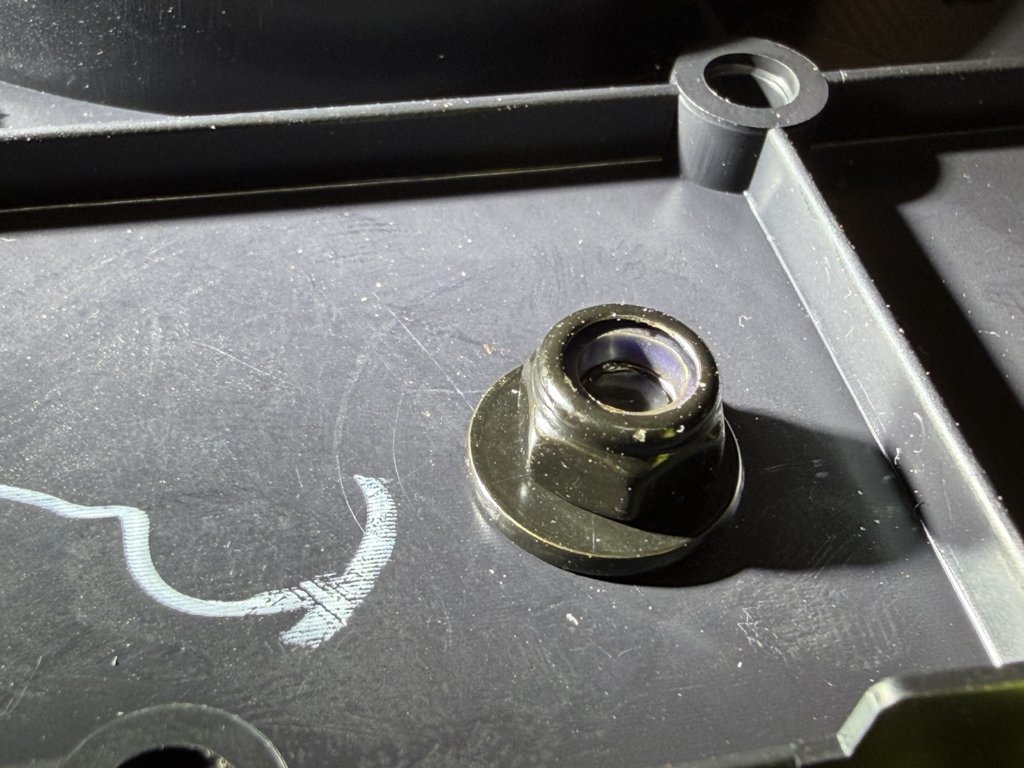
Visually inspect the distance between the nut and the plastic trim to make sure the hardware is properly tightened. Because of the nylon lock nuts, it can be difficult to judge tightness by feel alone.
Step 5: Reinstall the speaker cover
Reconnect the light sensor if applicable, then reinstall the speaker cover back into the dashboard. Your Leather & Dirt dash mount is now installed. Add your preferred T-bolt ball mount, phone holder, tablet holder, GPS mount, or other compatible accessory.
Compatible Accessories
Leather & Dirt dash mounts are designed for common T-bolt track accessories. They work well with common T-bolt track accessories, such as RAM® B-size 1” ball mount model RAP-B-354U-TRA1.
Note: Ball mount, phone holder, tablet holder, GPS holder, and other accessories are sold separately.
Important Notes
Do not drill directly into the dashboard. Only drill the removable speaker cover or trim panel.
Before drilling, confirm that the dash mount is positioned correctly and that the speaker cover can be reinstalled properly.
After installation, make sure all hardware is securely tightened before attaching any device or accessory.
Disclaimer
This product is 3D-printed and may show visible layer lines or minor surface imperfections. These are normal and do not affect strength or functionality.
Leather & Dirt products are intended for off-road use. Installation may modify OEM interior trim, so please install carefully and use aftermarket accessories responsibly.